
A workflow defines the sequence of steps of a document's lifecycle.
Workflows can automate your business processes such as:
- reviewing documents
- approving invoices
- publishing company policies to your intranet
The AODocs workflow configuration interface doesn’t require any specific technical skills. You can configure simple workflows like document approval in a few clicks.
However, configuring a workflow requires careful planning. It can be challenging to define the exact steps, assign roles, and set up notifications.
This article helps you define your workflow to meet your business needs.
To better understand the business needs and implement an AODocs workflow, we recommend organizing an assessment workshop with key end users.
Note:
Need help designing your workflow? The AODocs service team would be happy to help you organize an assessment workshop and find solutions to optimize your processes.
Contact your AODocs sales representative or send an email to sales@aodocs.com.
The goal of the assessment workshop is to:
- understand your business process
- collect the business requirements
- organize all the data needed for the workflow configuration
Here is a checklist of all the steps that need to be done in an assessment workshop:
Automatically generated table of contents
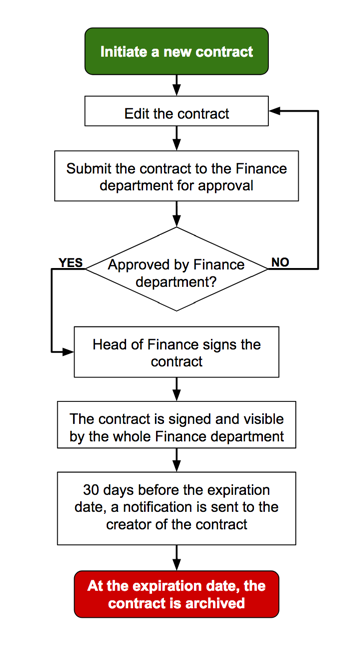
Visualize the business need
Visualize your business need by walking through the process. Draw a flowchart detailing all the actions in the process and how they are linked together.
Define workflow states and workflow transitions
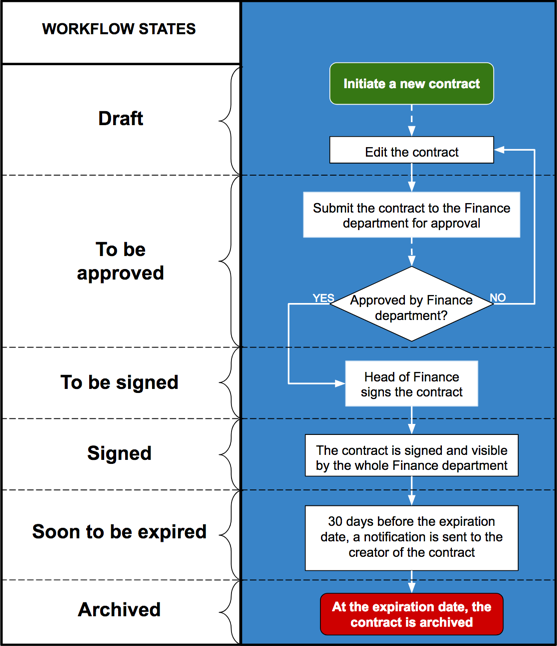
Use your flowchart to group together actions that belong to the same workflow state. Then highlight the transitions from one workflow state to another.
Learn more:
Define workflow roles
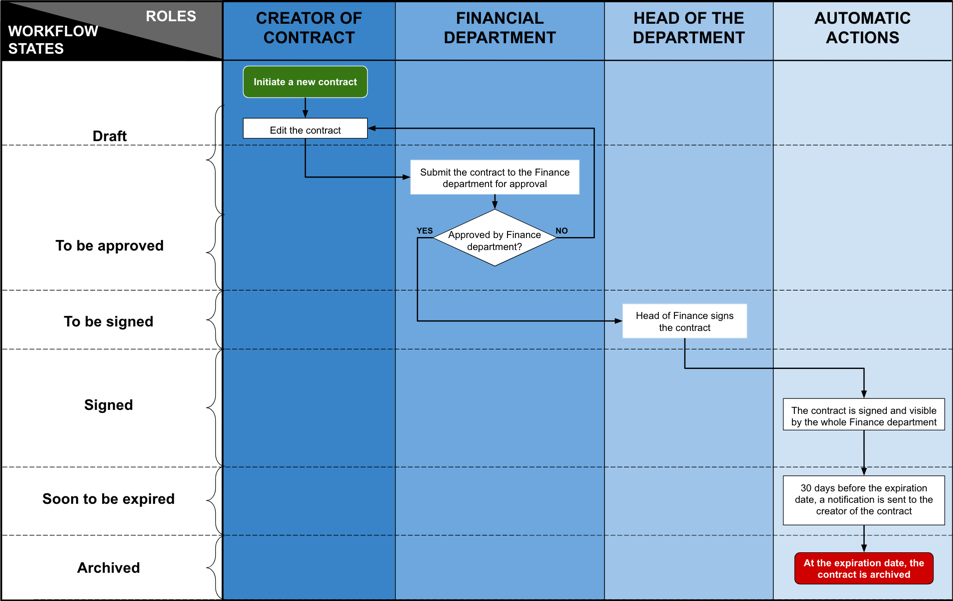
Use your flowchart to define the different roles involved in the workflow process. Then specify the actions for each role.

Build an email matrix
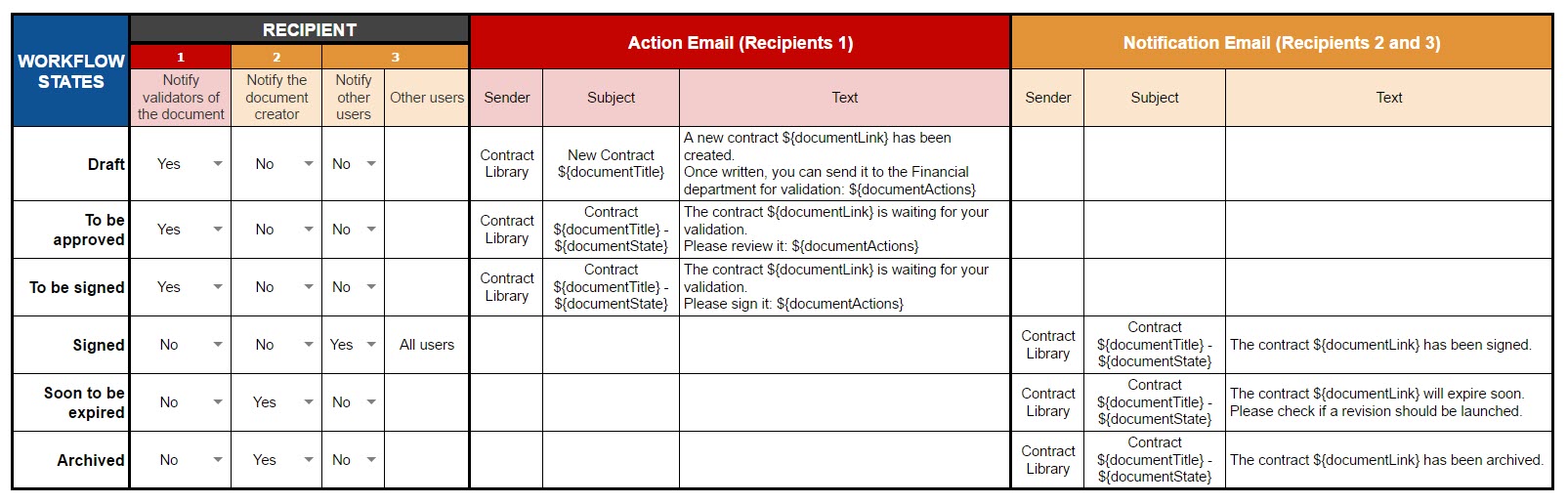
For each workflow state, define who should receive an email and write its content.
Learn more: Configure workflow emails
Build a permissions matrix
If your workflow requires the permissions of the document to change, define who has read and write access to the document for each workflow state.
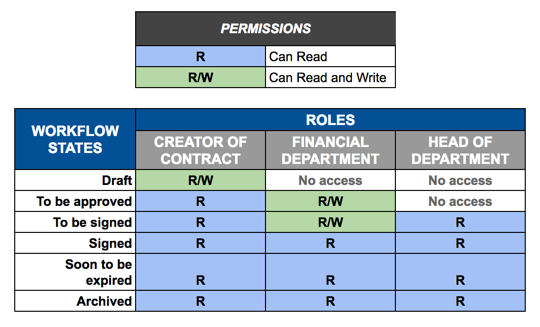
Learn more: Set workflow permissions
Specify the workflow steps used for version control
Create a new version
If your workflow requires a new version to be created automatically, specify on which workflow transition the new version of the document needs to be created. This workflow transition will be considered as a version control transition.
Learn more: Manage document versions in a AODocs library
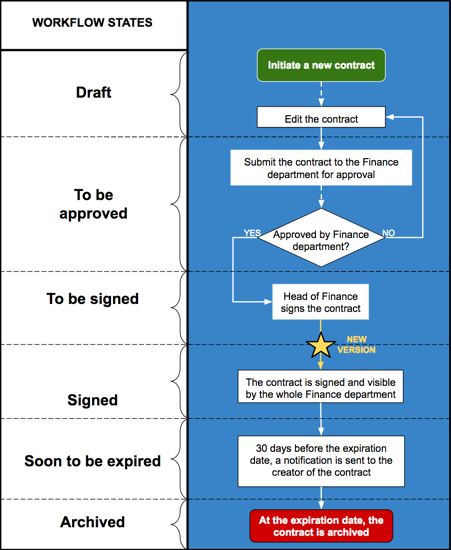
Learn more: Add workflow transitions
Check-out/check-in
If your workflow requires automatic check-out/check-in, specify on which workflow states the document needs to have a draft version: these workflow states will be considered as a Draft states.
Learn more: What is Check-out / Check-in?
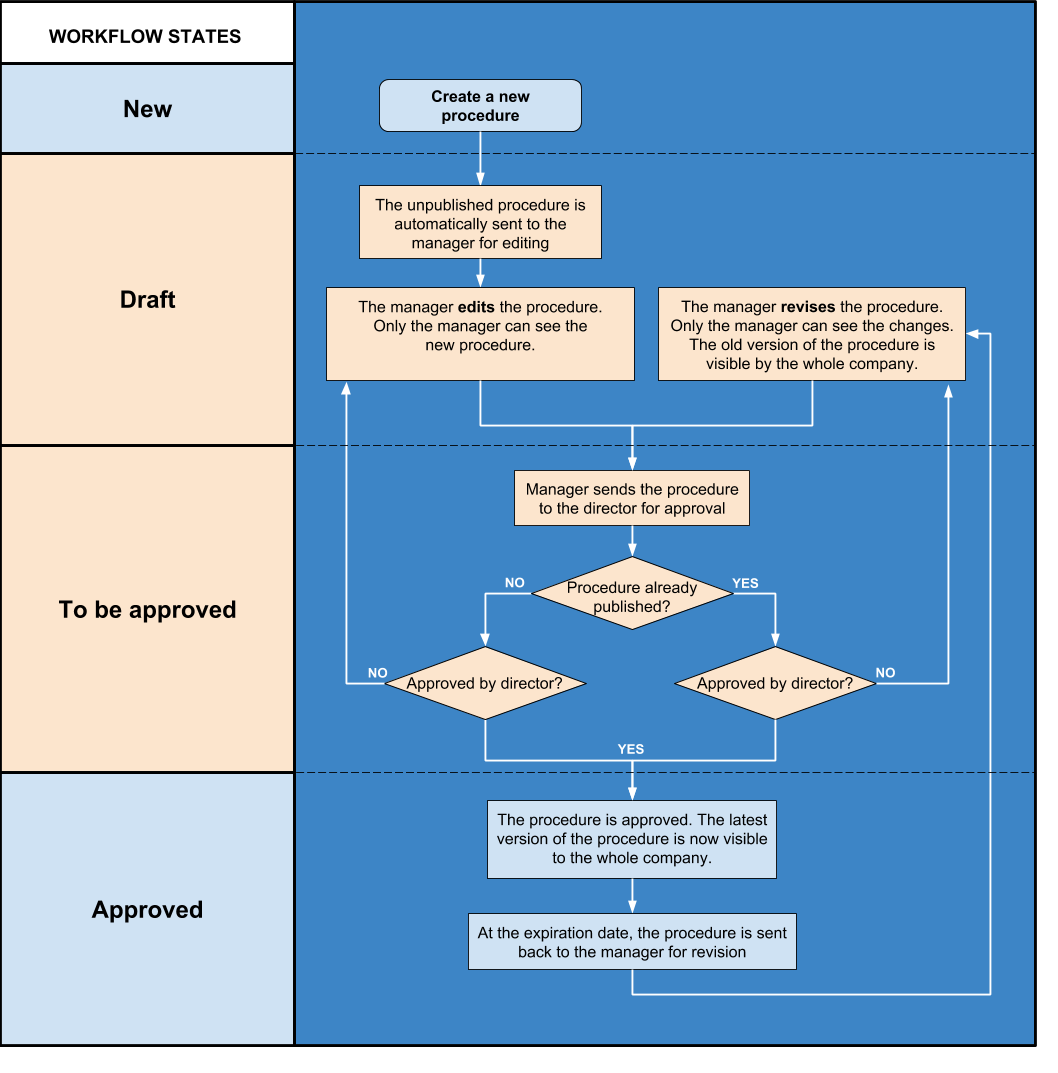
Learn more: Create workflow states
Learn more: Add workflow transitions