This article explains how library administrators can manage the retention period for deleted documents in their AODocs libraries.
The retention period defines how long deleted documents remain in the library trash before AODocs permanently removes them. This period starts when you delete a document and it moves to the library's trash. After the retention period expires, AODocs permanently removes the document from the library within 24 hours.
Note: A document removed from AODocs is still owned by the AODocs storage account but is not visible or accessible by anyone.
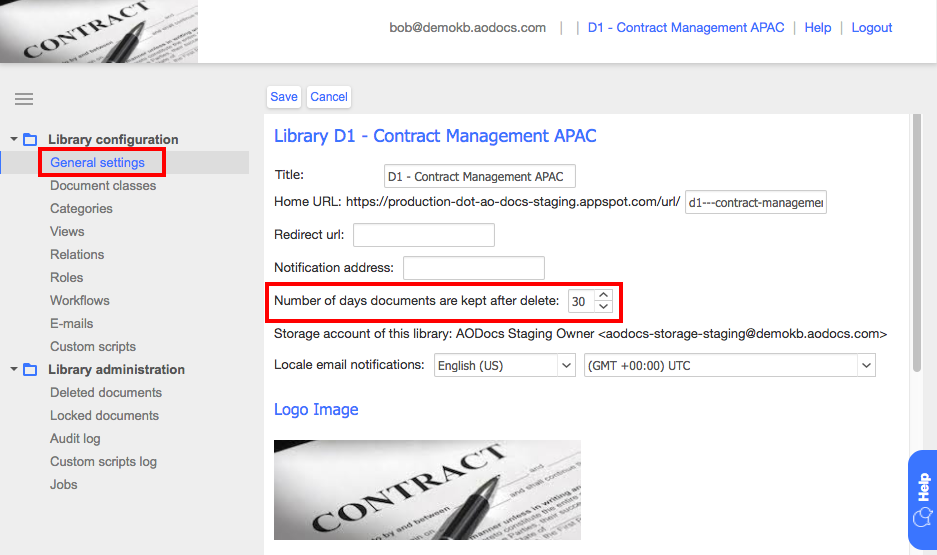
The default retention period is 30 days.
To customize the retention period:
1. Open the library administration.
2. Select General settings.
3. Enter the number of days to keep deleted documents before being permanently deleted automatically.
Tip: To never automatically delete documents from the company trash, set the retention period to -1.